Project Information
- Course: Creative Code Lab 3 (CCL3)
- Semester: WS 2025
- Team Members: Mary Idowu, Nadia Naim
You can download and install the Universe Android app using the link below. (Android devices only)
Download Universe APKIf prompted, allow installation from unknown sources on your device and Enjoy our APP.
University students manage multiple courses, assignments, and exams simultaneously. Universe helps students organize tasks, track deadlines, and stay productive throughout the semester in a clear and visual way.
University students who want a simple, focused, and modern task-planning app designed specifically for academic life.
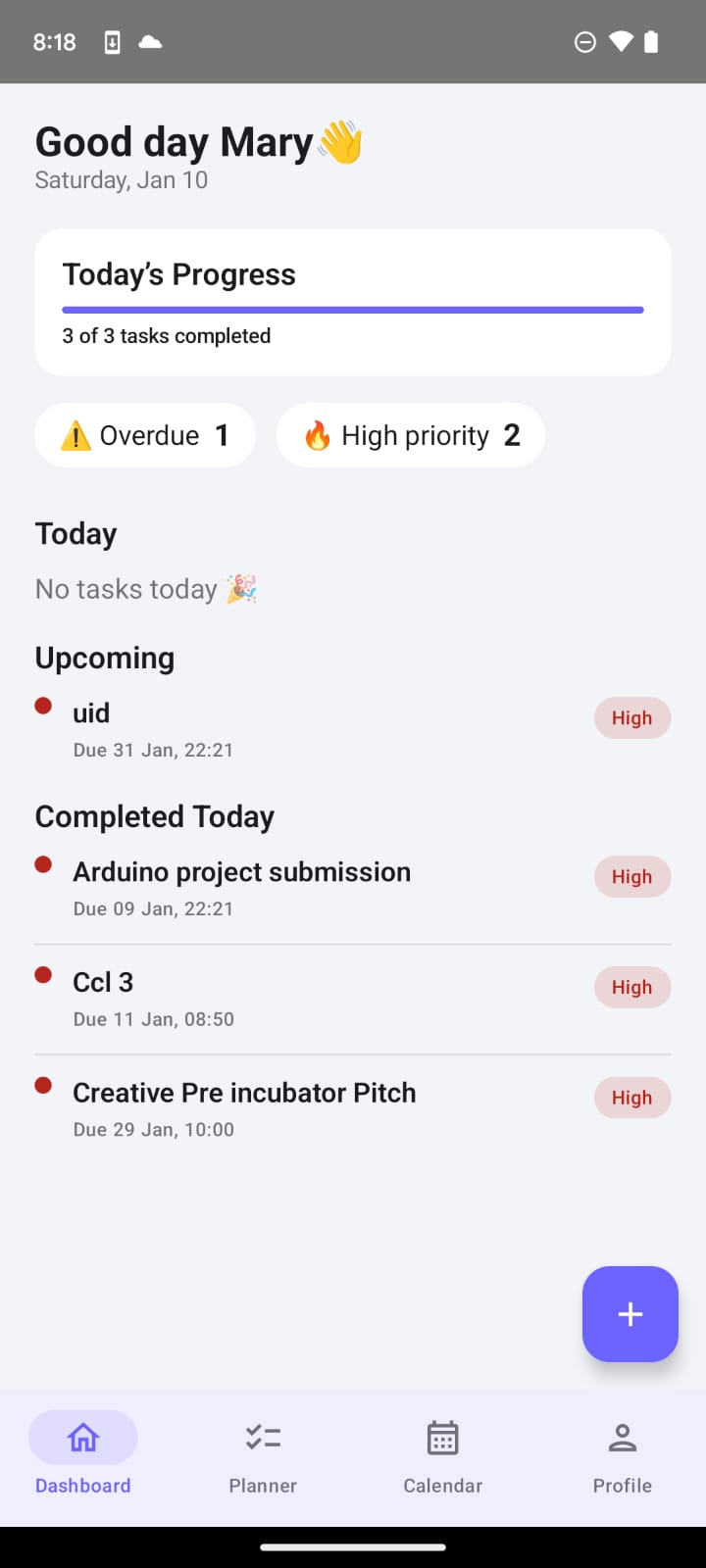
Overview of daily progress, overdue tasks, and upcoming deadlines.
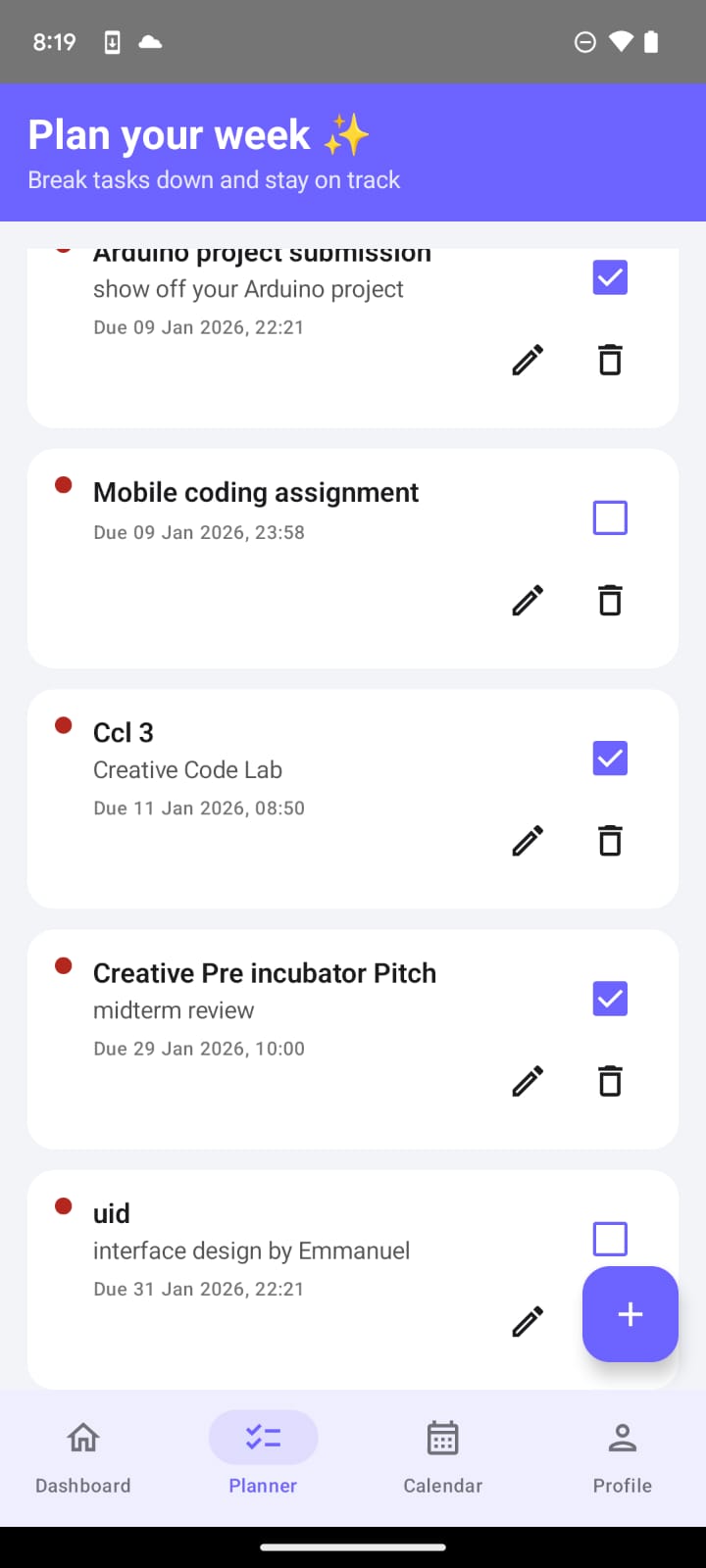
Task list with priorities, edit/delete actions, and weekly planning.
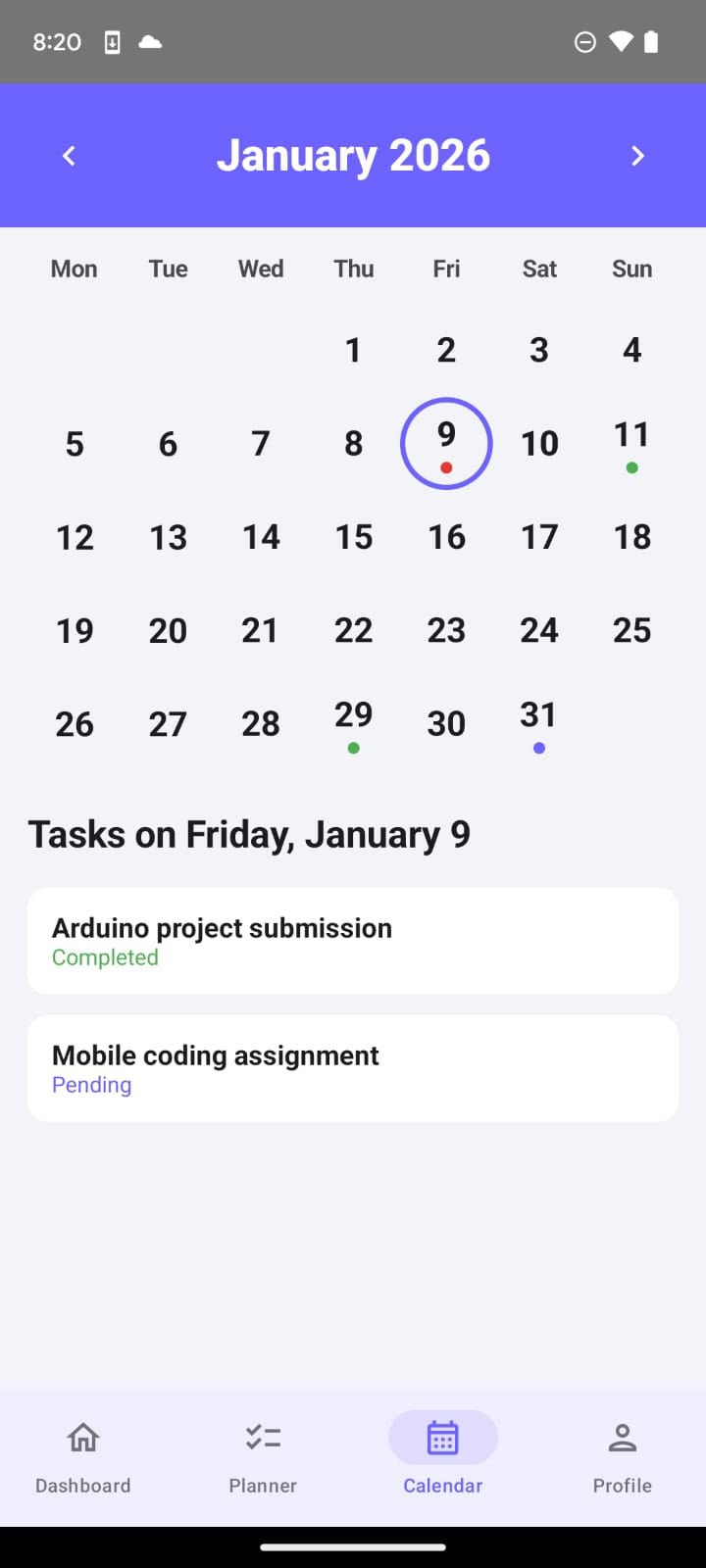
Monthly calendar highlighting exams and assignment deadlines.
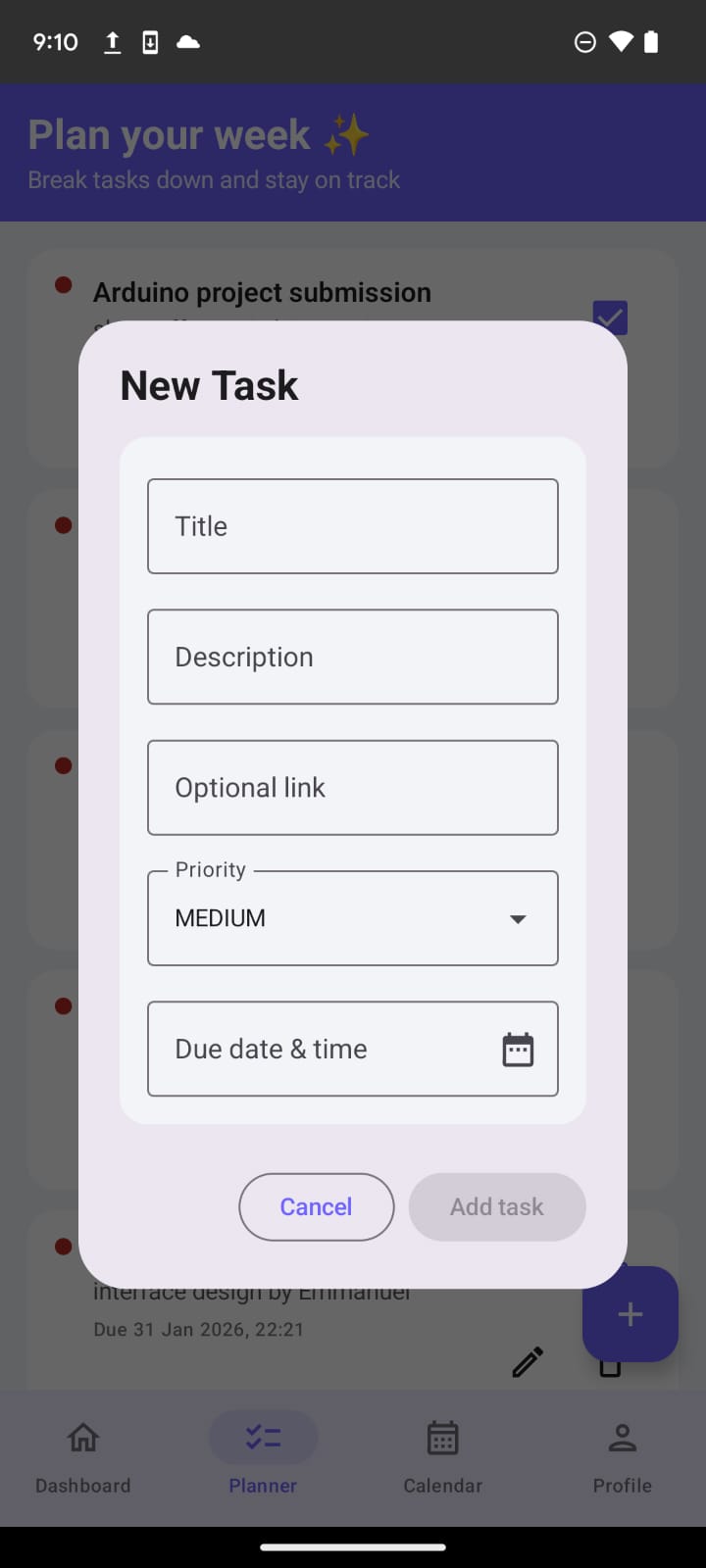
Add tasks with title, description, priority, and due date.
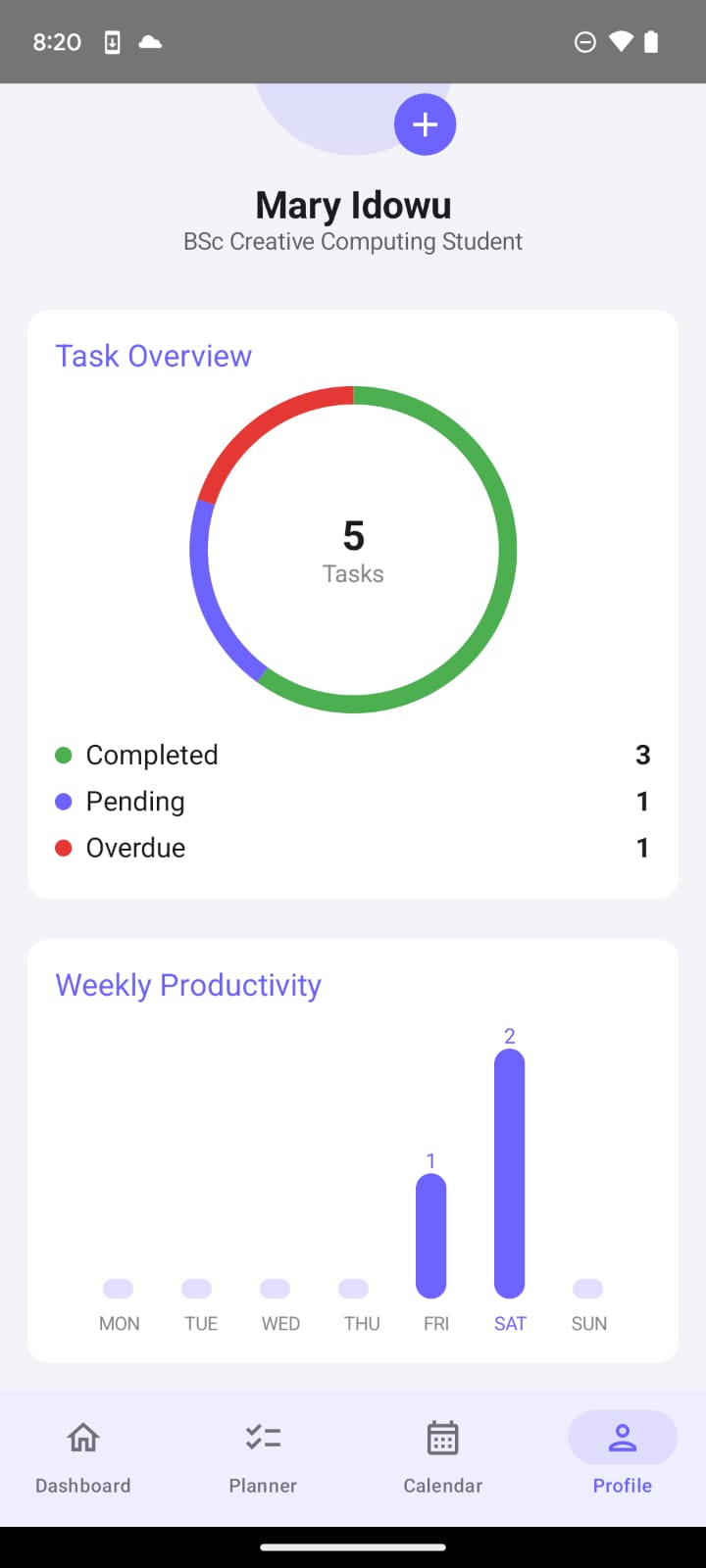
Productivity statistics, completed tasks, and study streak.
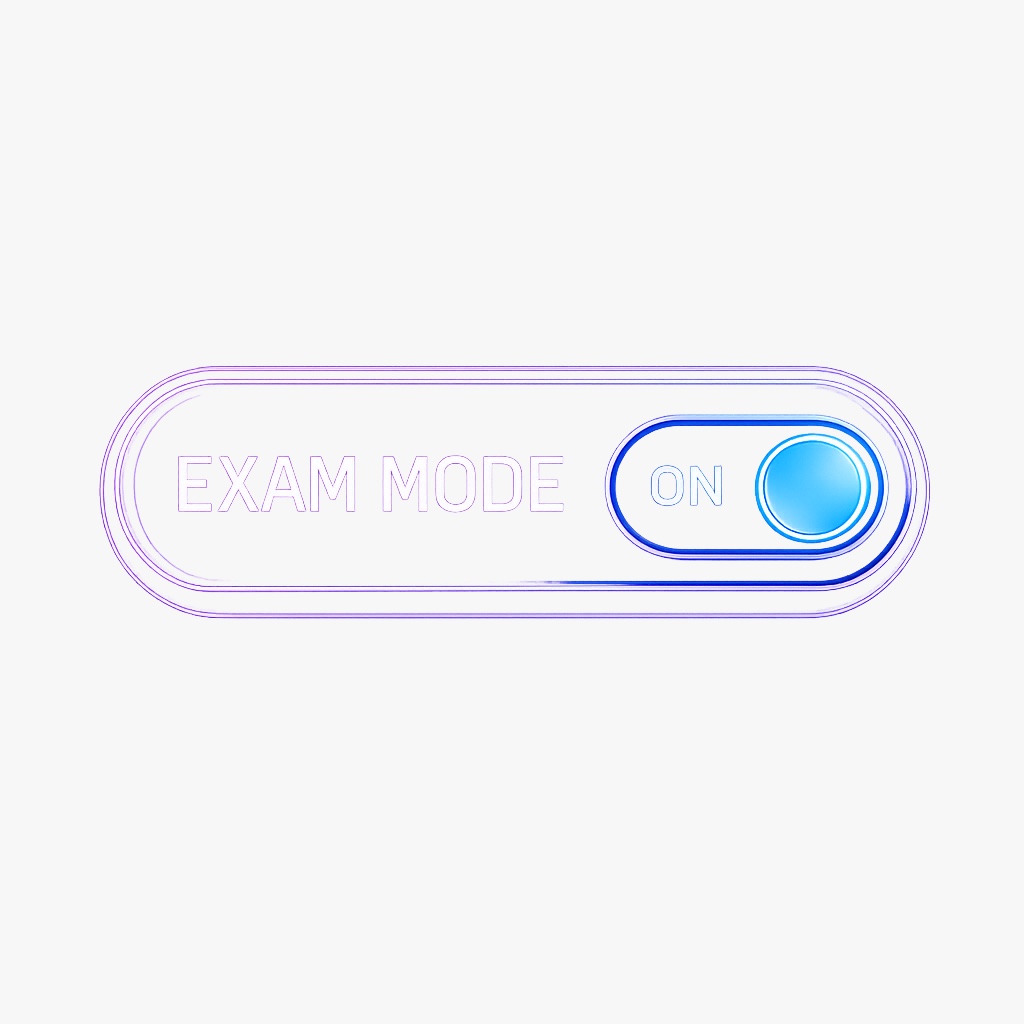
Exam Mode helps students focus during exam periods by reducing distractions and highlighting exam-related content.
Universe was designed as an offline-first Android application. All core features remain functional without an internet connection, allowing students to manage tasks and exams reliably in any environment.
The application uses a local SQLite database implemented with Android’s Room persistence library. Tasks, exams, priorities, and weekly goals are stored locally on the device.
Full CRUD operations (Create, Read, Update, Delete) are supported and managed through the MVVM architecture, with ViewModels exposing reactive state using StateFlow.
User settings and profile information are persisted using DataStore, ensuring data consistency across app restarts.
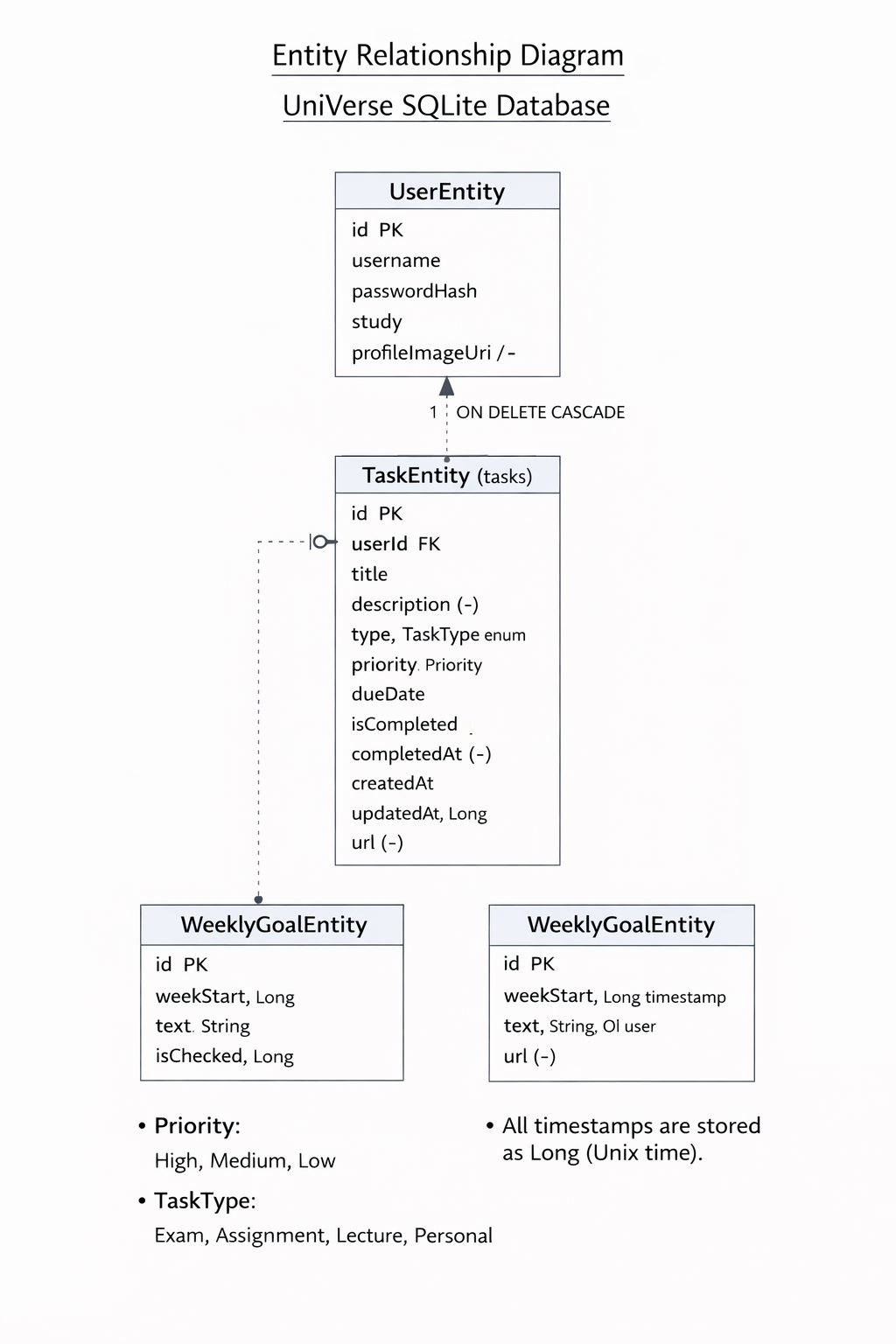
Entity Relationship Diagram (ERD) showing the structure of the local SQLite database used in the Universe app, including users, tasks, and weekly goals.
The Universe app was developed as a continuation of a previous mobile application project. A functional baseline already existed at the start of Creative Code Lab 3, and the goal of this course was to meaningfully extend the application with new features, improved usability, and a stronger academic focus.
Before the start of the Creative Code Lab 3 course, the application already provided the following core functionality:
For the Creative Code Lab 3 course, the project goals focused on improving productivity support and academic relevance for university students. The following features were planned and successfully implemented:
During development, the scope of the project expanded beyond the originally planned enhancements. Several additional features were implemented to further improve usability, personalization, and structure:
These additions demonstrate an iterative and exploratory development process. The final version of the app not only fulfills the planned goals of the Creative Code Lab 3 course, but also extends beyond them in both functionality and user experience.
Universe was evaluated using a formative usability testing approach. The goal of the evaluation was to identify usability issues, validate design decisions, and iteratively improve the application during development. Testing was conducted early and repeatedly to ensure that user's feedback directly affected design changes.
This initial evaluation was conducted on the early prototype of the application before user-based testing and followed heuristic principles such as clarity of navigation, consistency of interaction patterns, and visibility of system status.
The usability test was guided by the following hypotheses and testable questions:
The usability test focused on how intuitively users could navigate the app and complete core academic planning tasks such as creating tasks, managing exams,understanding study Streak and understanding dashboard information.
Early pilot testing revealed that most usability issues were related to discoverability, hierarchy, and interaction clarity, rather than misunderstandings of the core concept. Users generally understood the purpose of the app but sometimes struggled to locate certain features efficiently.
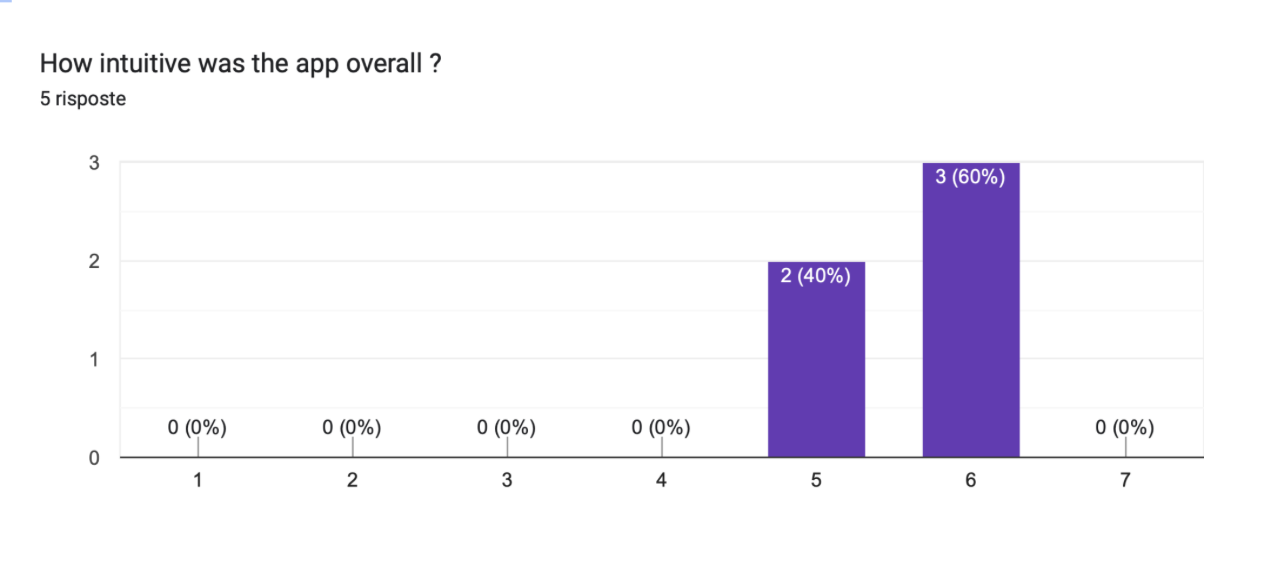
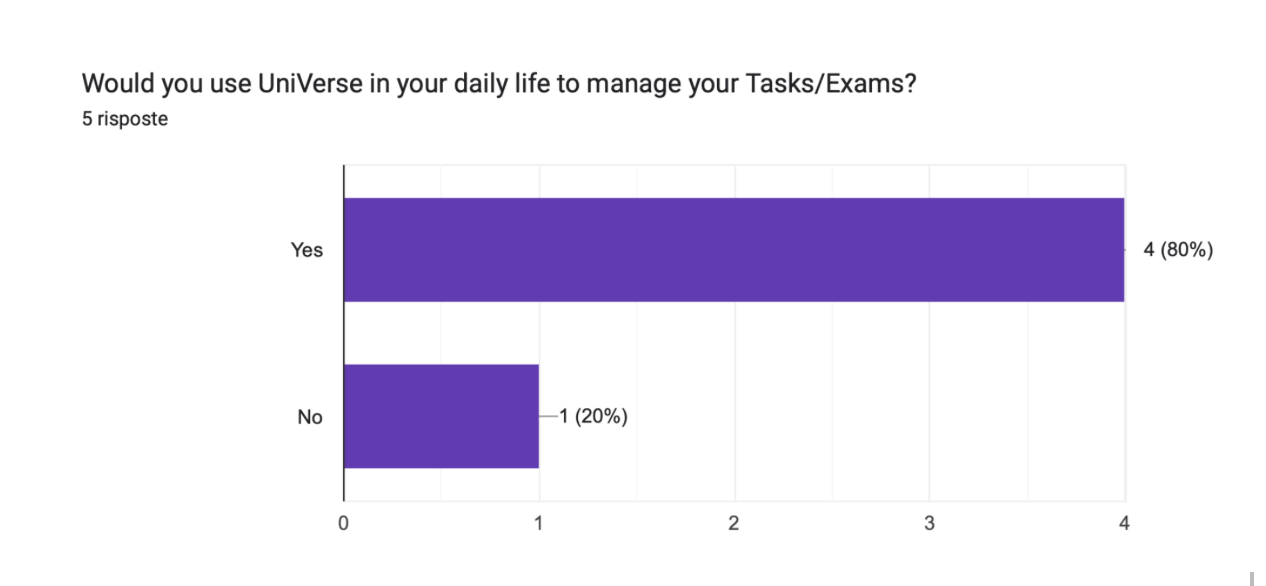
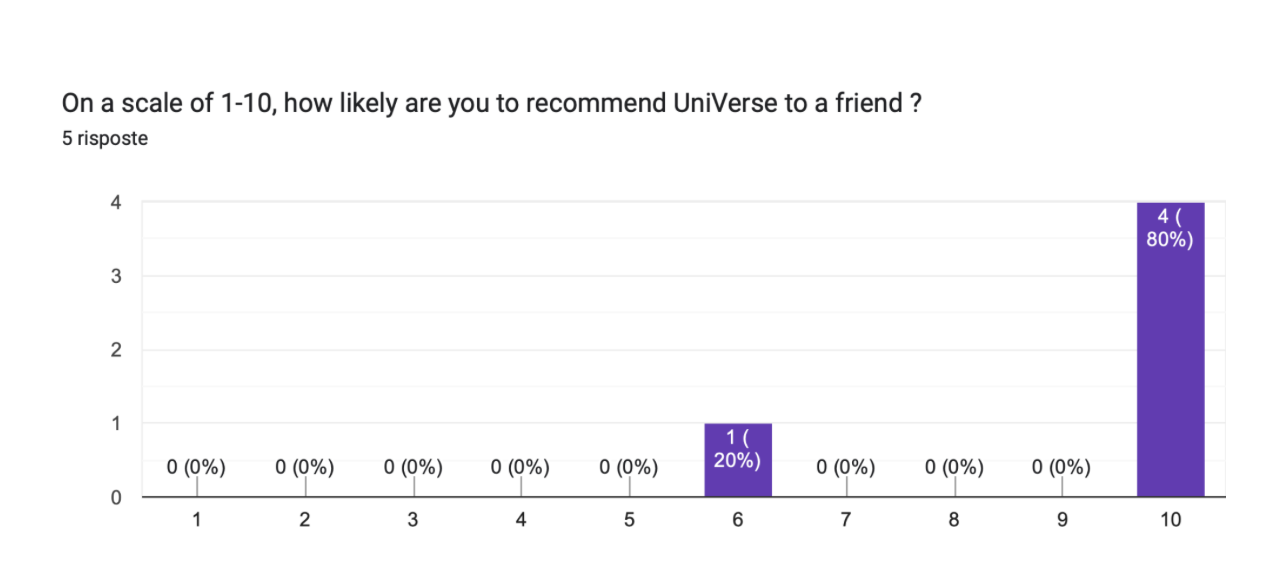
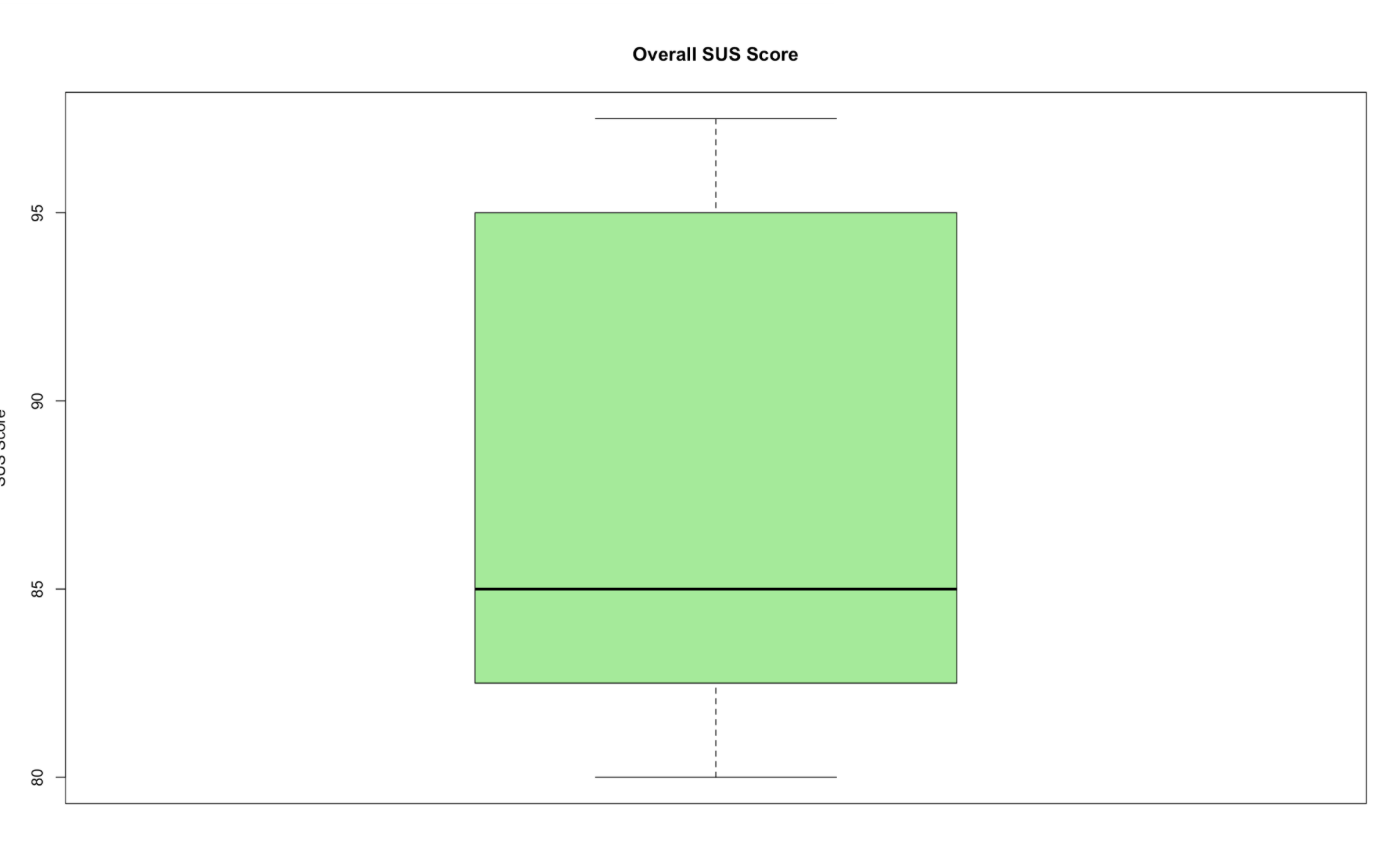
Overall, the usability test results were very positive. Participants rated Universe as intuitive and suitable for everyday academic use.
A SUS score of 85 is considered excellent and well above the industry average.
The results suggest that the overall design concept of Universe is effective and aligns well with user expectations for a student productivity tool.
Identified issues were mainly related to navigation clarity and feature visibility.
The full source code of the Universe app, including all usability-driven changes, is available in the public Git repository: https://git.nwt.fhstp.ac.at/cc241078/ccl3_universe